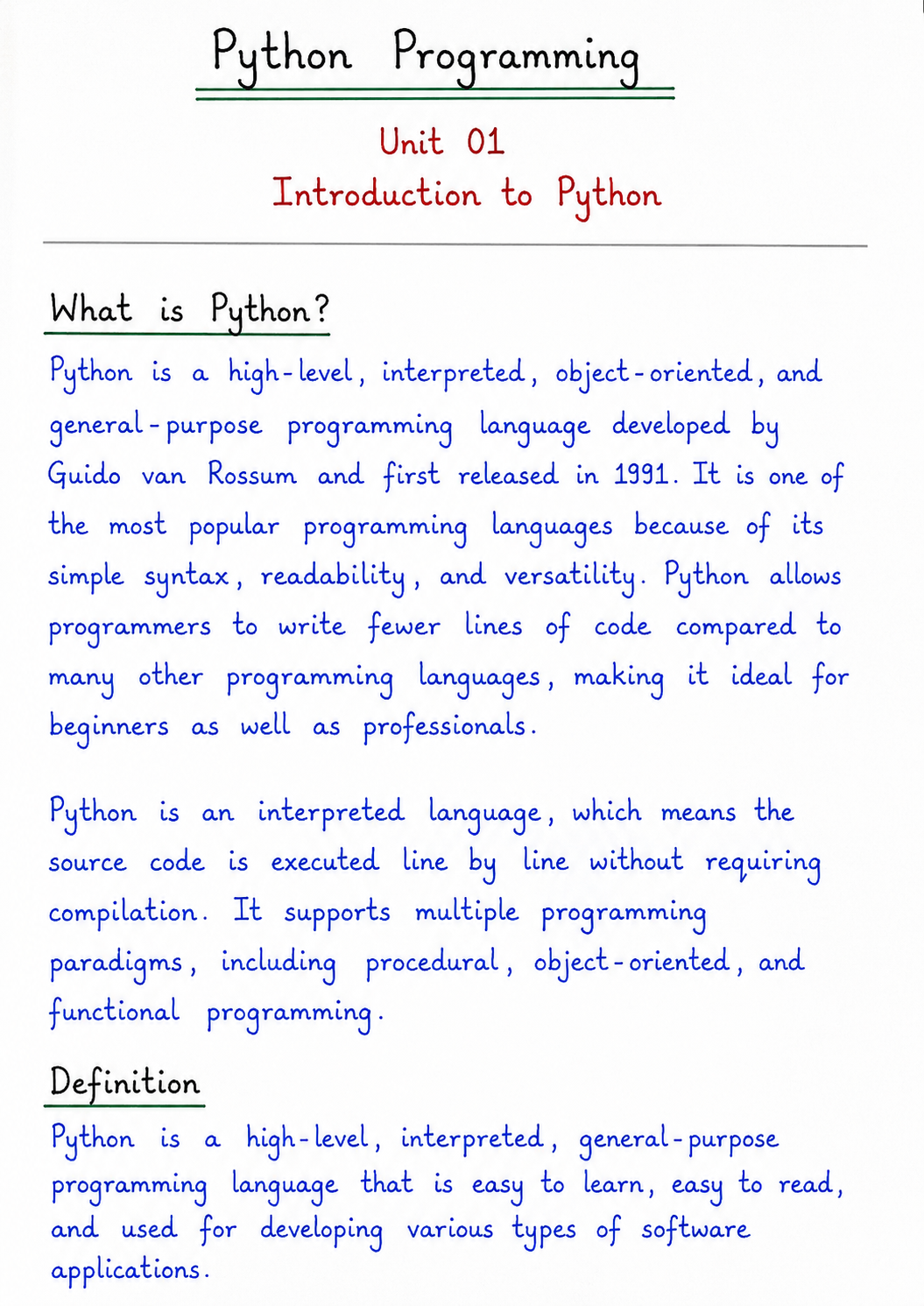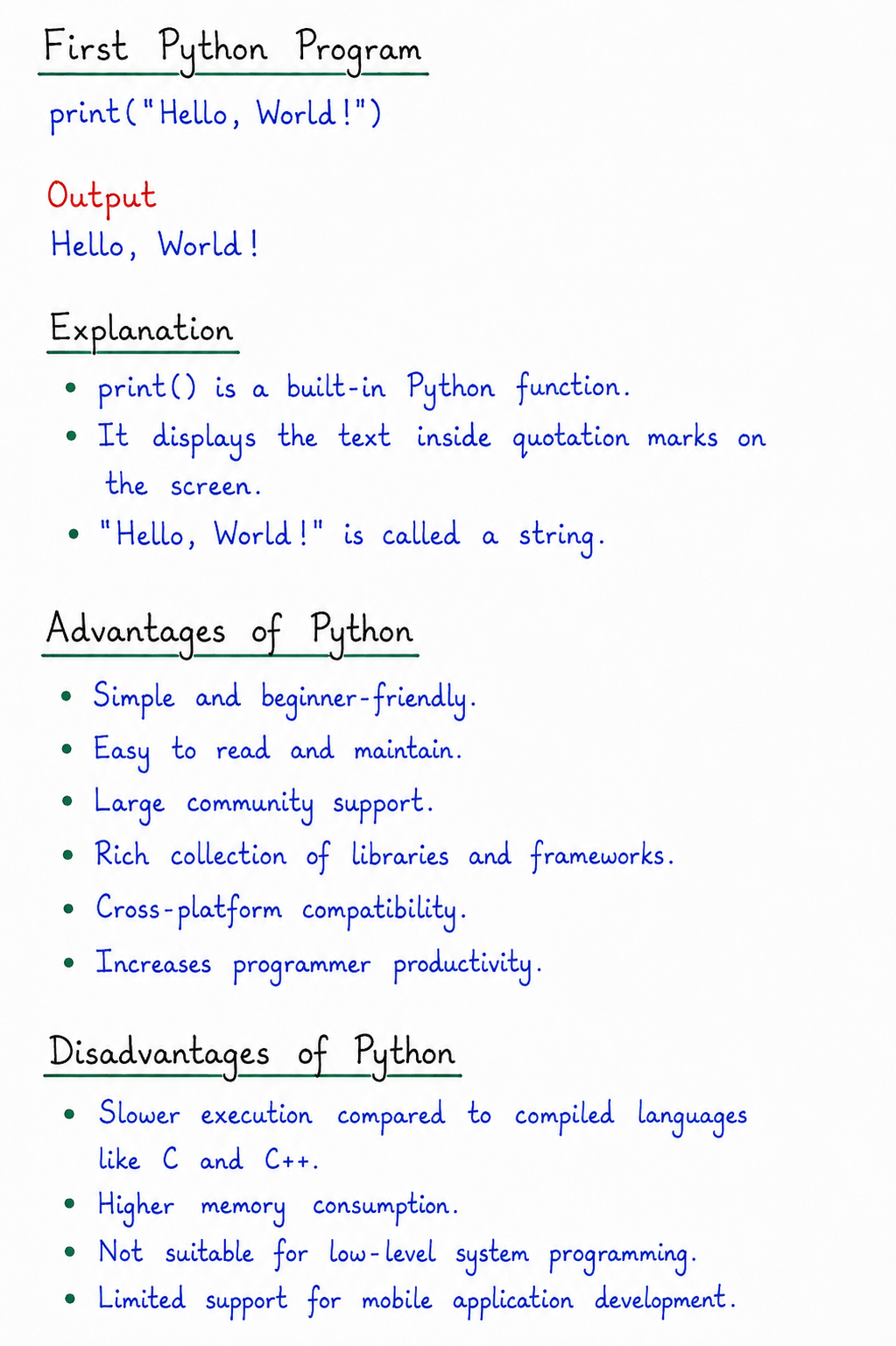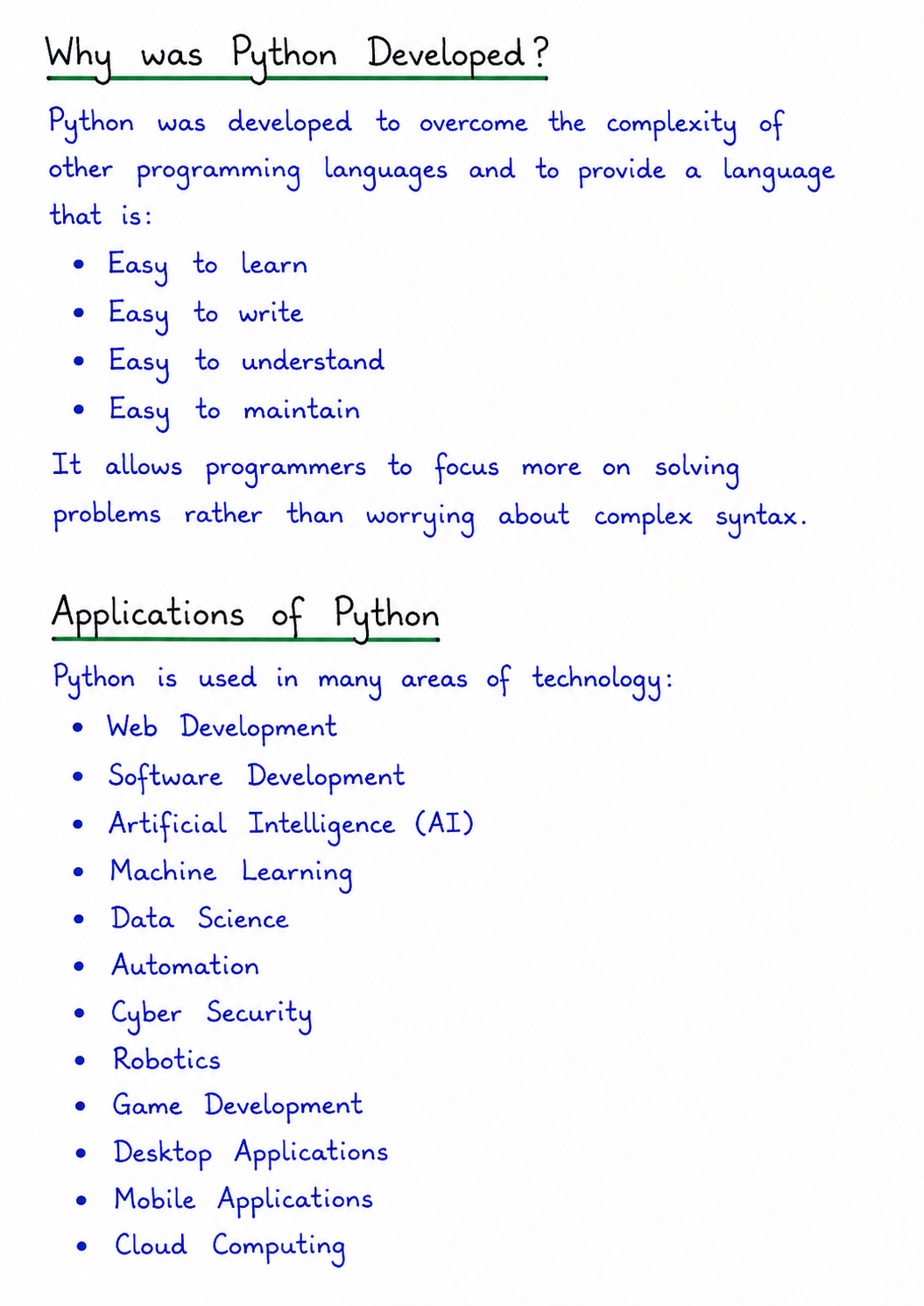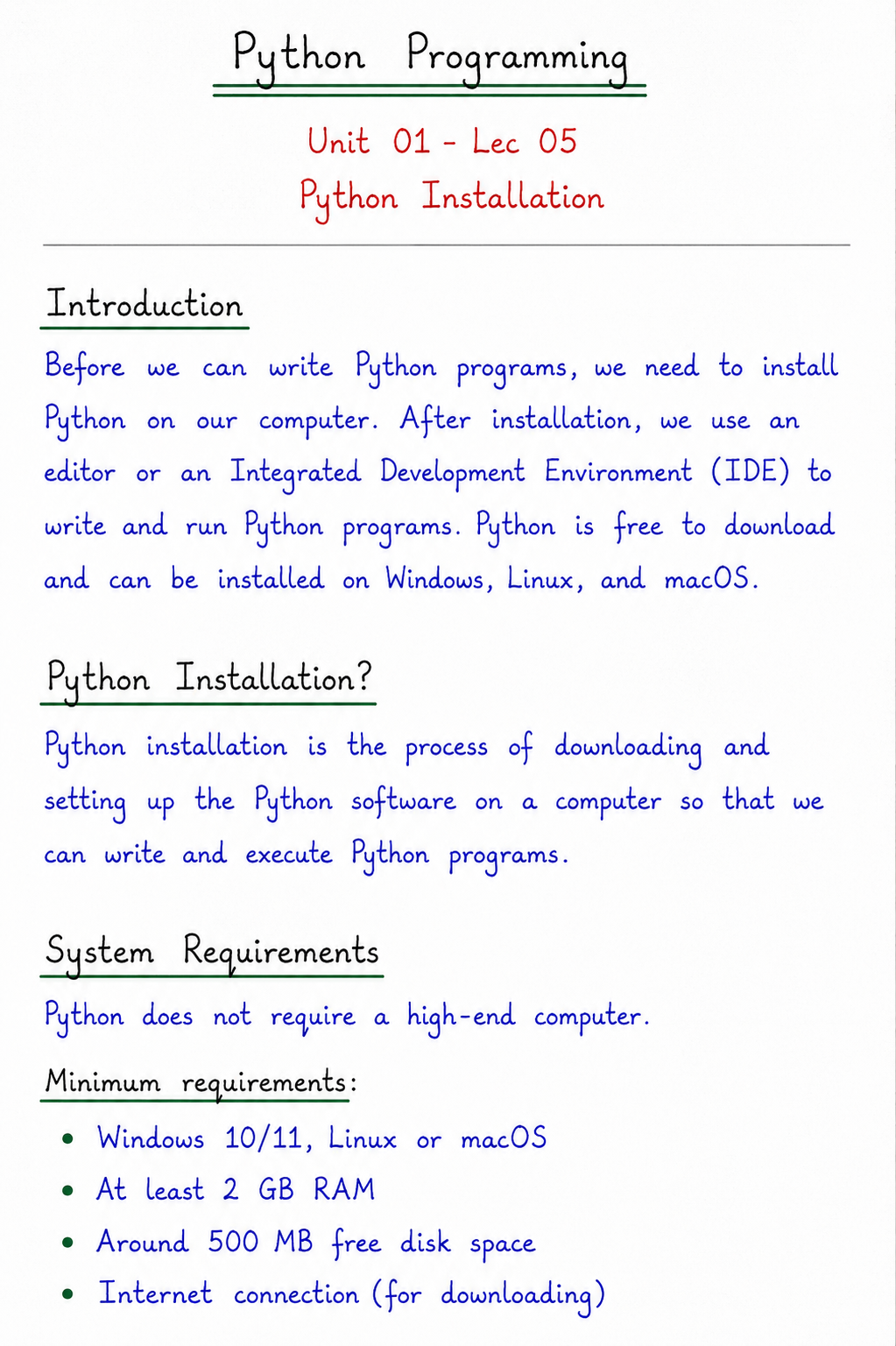
Unit 3 · Functions
Introduction to Functions
Learn one of the most powerful concepts in Python— Functions. Functions help programmers organize code into reusable, readable, and efficient blocks. They reduce repetition, improve program structure, simplify debugging, and make software development faster. Every professional Python application, from web development to Artificial Intelligence, uses functions extensively.
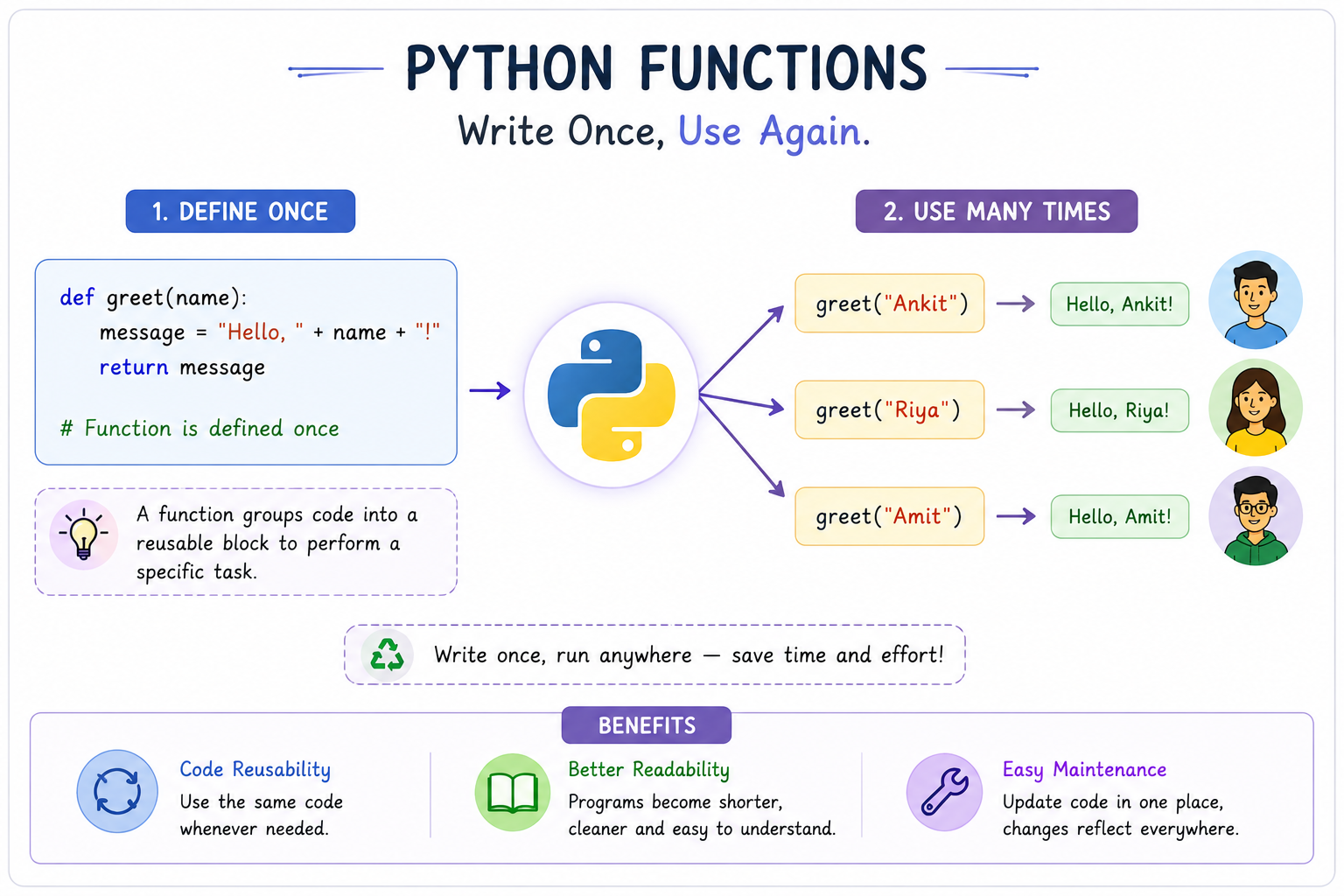
Write Once, Use Again.
Imagine writing the same code again and again whenever you need to perform the same task. It would make programs longer, harder to understand, and difficult to maintain.
Functions solve this problem. A function allows us to group a set of related statements into a single reusable block. Instead of rewriting the same logic multiple times, we simply call the function whenever needed.
- Code Reusability
- Better Readability
- Easy Maintenance
- Buy Hand Written Notes
Introduction
In the previous chapters, you learned how to write Python programs using variables, operators, conditional statements, loops, strings, lists, dictionaries, and other built-in data types. While these concepts help us solve problems, large programs often contain many repeated instructions.
Consider a situation where you need to calculate the total marks of 100 students. If you write the same calculation repeatedly, your program becomes lengthy, difficult to read, and harder to modify. This repetition is known as code duplication.
Python provides an elegant solution to this problem through Functions. A function groups multiple statements together to perform a specific task. Once created, the function can be executed whenever required, eliminating the need to rewrite the same code.
Functions are one of the most important building blocks of programming. They improve the organization of code, make programs modular, increase readability, simplify debugging, and encourage code reuse. Almost every professional software application— whether it is a banking system, social media platform, AI model, mobile application, or website— relies heavily on functions.
In Python,
many commonly used operations such as
print(),
input(),
len(),
type(),
sum(),
and
max()
are themselves functions.
This means you have already been using functions
since your very first Python program.
In this chapter, you will understand the concept of functions, why they are needed, how they improve programming, and how professional developers use them to write clean, reusable, and efficient code.
Why Functions Matter
Imagine you are writing a program that prints "Welcome to Python" 20 different times in different places.
Without functions, you would write the same code repeatedly. With functions, you write it only once and simply call the function whenever needed.
def welcome():
    print("Welcome to Python")

welcome()
welcome()
welcome()
welcome()
Here, the code is written only once but executed multiple times, making the program shorter, cleaner, and easier to maintain.
Learning Objectives
After completing this chapter, you should be able to:
Understand Functions
Explain the meaning of a function and understand why functions are one of the most important concepts in Python programming.
Identify the Need for Functions
Understand how functions eliminate code duplication, improve readability, and simplify software maintenance.
Recognize Built-in Functions
Identify commonly used Python built-in functions such as print(), input(), len(), type(), max(), and sum().
Learn Code Reusability
Explain how a single function can be reused multiple times without rewriting the same logic.
Prepare for Advanced Topics
Build a strong foundation for learning function definition, parameters, arguments, return values, recursion, and modules.
Crack University & Competitive Exams
Answer theory questions related to functions commonly asked in university examinations, interviews, and competitive exams.
Prerequisites
Before learning functions, you should already know the following topics.
Required Knowledge
- ✅ Python Basics
- ✅ Variables and Data Types
- ✅ Input and Output Statements
- ✅ Operators
- ✅ Conditional Statements
- ✅ Loops (for & while)
- ✅ Strings
- ✅ Lists and Dictionaries
Why are these topics important?
Functions are not an isolated concept. They combine almost every Python concept you have learned previously.
Inside a function, you may use variables, operators, loops, conditional statements, strings, lists, dictionaries, and many other Python features.
Therefore, having a clear understanding of Python fundamentals will make learning functions much easier.
University Exam Tip
Before studying Defining Functions, Function Arguments, and Return Statement, you must first understand why functions are needed. In university examinations, 2 to 5 mark questions frequently ask:
- Define a Function.
- Why are Functions used in Python?
- State any four advantages of Functions.
- Differentiate between Built-in and User-defined Functions.
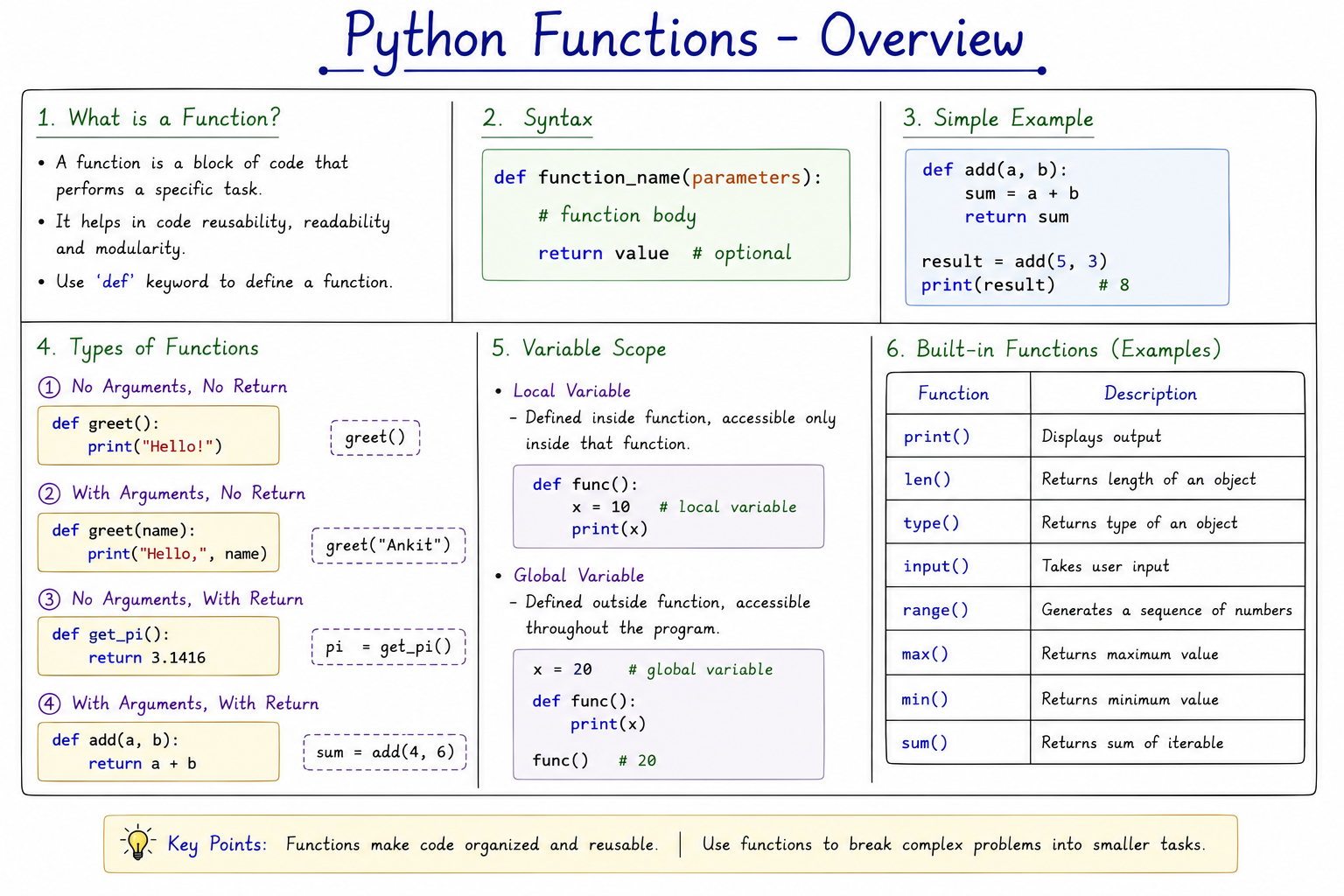
Table of Contents
Topics covered in this chapter
What is a Function?
Definition & Concept
Why Functions?
Need & Importance
Real-Life Analogy
Practical Understanding
Advantages
Benefits of Functions
Characteristics
Features of Functions
Function Workflow
Execution Process
Types of Functions
Built-in & User-defined
Summary
Quick Revision
What is a Function?
A Function is one of the most important concepts in programming. It is a named block of code that performs a specific task. Instead of writing the same instructions again and again, we place them inside a function and execute them whenever required.
In simple words, a function allows programmers to divide a large program into smaller, manageable parts. Each function performs one particular job, making programs easier to understand, maintain, test, and reuse.
Every modern programming language such as Python, Java, C, C++, JavaScript, PHP, and C# supports functions because they make software development faster and more organized.
Whether you are developing a small calculator or a large Artificial Intelligence application, functions are used everywhere.
University Definition
A Function is a named block of reusable code that performs a specific task. It can be executed whenever required by calling its name.
Technical Definition
Technically, a function is a self-contained block of executable statements that performs a predefined task. A function can receive input values, process those values, and optionally return a result to the calling program.
Because functions are independent blocks, they improve modularity, reduce code duplication, simplify debugging, and increase software reliability.
Real-Life Analogy
Imagine you own a restaurant. Every customer orders tea. Instead of preparing tea separately from the beginning for every customer, the chef follows the same recipe repeatedly.
Customer Orders Tea
          │
          ▼
 Prepare Tea Recipe
          │
          ▼
 Serve Customer
Here, the recipe acts like a function. Whenever tea is required, the chef simply follows the same recipe instead of creating a completely new process.
Similarly, programmers write a function once and call it whenever the same task needs to be performed.
Why are Functions Called Reusable Blocks?
The biggest advantage of a function is Code Reusability. Once a function is written, it can be used again and again without rewriting the same statements.
Suppose a school management system needs to calculate student grades. Instead of writing the grading logic for every student, the programmer creates one function. Whenever a grade is required, the function is simply called.
Reusability Example
def calculate_grade():
    # grading logic

calculate_grade()
calculate_grade()
calculate_grade()
calculate_grade()
The function is written only once, but it can be executed hundreds or even thousands of times.
Problem Without Functions
Beginners often write the same code repeatedly. This makes programs lengthy, confusing, and difficult to maintain.
Without Functions ❌
print("Welcome")
print("Welcome")
print("Welcome")
print("Welcome")
print("Welcome")
print("Welcome")
With Function ✅
def welcome():
    print("Welcome")

welcome()
welcome()
welcome()
welcome()
welcome()
Key Characteristics of a Function
Performs one specific task.
Eliminates duplicate code.
Improves readability.
Makes debugging easier.
Can be reused many times.
Makes programs modular.
Examination Point of View
The following question is one of the most frequently asked theory questions in university examinations.
Answer: A function is a named block of reusable code that performs a particular task. It improves readability, reduces code duplication, and makes programs modular and easier to maintain.
Interview Tip
If an interviewer asks "Why do we use functions?" never answer only "to reuse code." Mention at least five points:
- Code Reusability
- Readability
- Maintainability
- Modularity
- Easier Testing & Debugging
Why Do We Need Functions?
As programs grow larger, writing every instruction line by line becomes unmanageable. A real software application may contain thousands or even millions of lines of code. Without a way to organize this code into smaller, logical units, even a small change could break the entire program. Functions solve this by letting us divide a big problem into small, independent, reusable pieces.
Let us understand every reason in detail.
1. Code Duplication
Without functions, the same block of statements is copied and pasted everywhere it is needed. If a bug is found later, the programmer must fix it in every single copy. This wastes time and often leads to some copies being missed, causing inconsistent behaviour.
2. Readability
A program broken into well-named functions reads almost
like plain English.
calculate_total_marks()
tells the reader exactly what it does without needing to
study every line inside it. This is called
abstraction — hiding implementation
details behind a simple name.
3. Maintainability
Software is rarely written once and forgotten. It is updated, extended, and fixed for years. When logic lives inside a single function, updating that logic means editing one place instead of hunting through the entire codebase.
4. Reusability
A function written for one project can often be reused in another. Many Python libraries are simply large collections of ready-made, well-tested functions that save developers from rewriting common logic.
5. Collaboration
Large software is never built by one person. Teams divide work by assigning different functions to different developers. As long as everyone agrees on what each function receives and returns, they can work in parallel without conflicts.
6. Scalability
As requirements grow, new features can be added by writing new functions instead of rewriting old code. This keeps the system flexible and able to grow without collapsing under its own complexity.
7. Used in Professional Software
Every professional application — operating systems, banking software, games, and AI models — is built from thousands of small functions working together. Learning to think in functions is a core skill every programmer must master.
Before vs After Comparison
| Aspect | Without Functions | With Functions |
|---|---|---|
| Code Length | Long and repetitive | Short and organized |
| Debugging | Difficult, errors scattered | Easy, isolated to one block |
| Reusability | None, must retype code | High, just call the function |
| Team Work | Hard to divide tasks | Each member owns functions |
| Maintenance | Change needed in many places | Change needed in one place |
Real-Life Examples of Functions
Functions are not just a programming idea — they mirror how real-world systems already work. Understanding these analogies makes the concept much easier to remember.
ATM
The "Withdraw Cash" process is the same steps every time — insert card, enter PIN, enter amount, dispense cash. This fixed sequence behaves exactly like a function that any customer can call.
Restaurant
A chef follows the same recipe for every plate of pasta ordered. The recipe is written once and "called" for every customer who orders it.
Bank
The "Open New Account" procedure — verify ID, collect documents, create record — is a fixed process reused for every new customer.
School
Calculating a report card follows the same grading formula for every student — only the input marks change.
Hospital
The patient check-in procedure — register, take vitals, assign doctor — is repeated identically for every patient.
Amazon
The "Place Order" function runs for millions of customers, taking product ID and address as input and returning an order confirmation.
The "Like Post" action runs the same underlying logic every time any user taps the heart icon, regardless of which post or user is involved.
Calculator
Pressing "+" always runs the same addition logic regardless of the numbers entered — the numbers are just inputs to a fixed function.
Food Delivery
"Track Order" runs the same tracking logic for every delivery, only the order ID changes each time it is called.
Online Shopping
"Apply Coupon" checks a code against the same discount rules for every shopper who uses it.
Advantages of Functions
1. Code Reusability
Write once, call many times. Example: welcome()
called 100 times.
2. Improved Readability
Descriptive names explain intent. Example:
calculate_bmi() is self-explanatory.
3. Easier Debugging
Errors are isolated to one function instead of the whole program.
4. Modularity
Big problems split into small independent modules that can be tested separately.
5. Saves Development Time
Reusing existing functions is faster than rewriting logic from scratch.
6. Reduces Errors
Fewer duplicated lines mean fewer places for typing mistakes to appear.
7. Supports Team Collaboration
Different developers can build different functions in parallel.
8. Easier Testing
Each function can be tested individually with sample inputs.
9. Better Memory Usage
Function code occupies memory only while it executes, then it is released.
10. Encourages Abstraction
Users of a function need not know how it works internally, only what it does.
11. Supports Recursion
Functions can call themselves, enabling elegant solutions to problems like factorial.
12. Builds Libraries & Modules
Collections of functions form reusable modules like
math and random.
Characteristics of Good Functions
- ✅ Single Responsibility — a function should do one task, and do it well.
- ✅ Descriptive Name — the name should clearly describe the task performed.
- ✅ Small Size — shorter functions are easier to read, test, and reuse.
- ✅ Predictable Output — the same input should always give the same result.
- ✅ Minimal Side Effects — a function should avoid unexpectedly changing data outside itself.
- ✅ Proper Documentation — comments or docstrings should explain what the function does.
- ✅ Reusable Design — written generally enough to be used in more than one situation.
Function Workflow
When a function is called, Python does not simply skip over it — control actually jumps to the function, runs it, and then returns back to where it left off.
   Main Program
        │
        ▼
  Function Call
        │
        ▼
   Execution of
  Function Body
        │
        ▼
 Return Statement
   (if present)
        │
        ▼
Continue Main Program
After the function finishes execution, control returns to the exact line where the function was called, and the program continues normally from there.
Function Syntax
def function_name(parameters):
    """docstring"""
    statement(s)
    return value
def
Keyword that tells Python a function is being defined.
Function Name
An identifier used to call the function later; should be descriptive.
Parameters
Optional inputs placed inside parentheses that the function can use.
Colon :
Marks the start of the function body, just like
if and for.
Indentation
Python uses indentation (usually 4 spaces) to define the function body.
Body
The set of statements that actually perform the task.
return
Optional statement that sends a value back to the caller and ends the function's execution.
Anatomy of a Function
def add_numbers(a, b):     # def keyword, name, parameters
    """Adds two numbers"""  # docstring
    result = a + b          # function body
    return result            # return statement

total = add_numbers(5, 10)  # function call with arguments
print(total)                 # output: 15
Function Execution Process — Step by Step
- Python reads the program from top to bottom.
- When it reaches a function definition, it only stores the function in memory — it does not run it yet.
- When the function is called by name, Python jumps to that function.
- Arguments passed during the call are assigned to the parameters.
- The statements inside the function body execute in order.
- If a
returnstatement is reached, the value is sent back and the function ends. - Control returns to the line right after the function call, and execution continues.
Built-in Functions
Python comes with many ready-made functions available without any extra setup. These are called built-in functions.
| Function | Purpose | Example |
|---|---|---|
print() |
Displays output | print("Hi") |
input() |
Takes user input | input("Name: ") |
len() |
Returns length | len("Python") → 6 |
sum() |
Adds items in a sequence | sum([1,2,3]) → 6 |
max() |
Largest value | max(3,9,2) → 9 |
min() |
Smallest value | min(3,9,2) → 2 |
type() |
Data type of a value | type(5) → int |
range() |
Generates a sequence of numbers | range(5) |
sorted() |
Returns a sorted list | sorted([3,1,2]) |
help() |
Shows documentation | help(print) |
id() |
Memory address of a variable | id(x) |
abs() |
Absolute value | abs(-7) → 7 |
round() |
Rounds a number | round(3.567,1) → 3.6 |
User-defined Functions
When built-in functions do not cover a specific need,
programmers create their own functions using the
def keyword. These are called
user-defined functions because the programmer
decides exactly what they do.
def greet(name):
    print("Hello,", name)

greet("Riya")
Output: Hello, Riya
Built-in vs User-defined Functions
| Aspect | Built-in Function | User-defined Function |
|---|---|---|
| Definition | Already provided by Python | Created by the programmer |
| Example | len() |
calculate_area() |
| Modification | Cannot be changed | Fully customizable |
| Availability | Always available | Must be defined first |
Applications of Functions
- Web development (Flask, Django route handlers)
- Data analysis and Machine Learning pipelines
- Game development logic
- Automation and scripting
- Mobile app back-ends
- Banking and financial calculations
- Artificial Intelligence models
- Operating system utilities
Advantages vs Disadvantages
| Advantages | Disadvantages |
|---|---|
| Reduces code duplication | Function calls add slight overhead |
| Improves readability | Overusing tiny functions can fragment logic |
| Easier debugging | Poor naming can confuse readers |
| Encourages teamwork | Excess parameters can be hard to manage |
Best Practices
- Give every function a clear, descriptive name.
- Keep functions short and focused on one task.
- Use docstrings to describe what the function does.
- Avoid using global variables inside functions when possible.
- Use meaningful parameter names.
- Return values instead of printing inside deeply nested logic.
- Keep the number of parameters small and manageable.
- Avoid deeply nested code inside a single function.
- Use default parameter values where useful.
- Handle possible errors gracefully.
- Test each function independently.
- Avoid duplicate logic across multiple functions.
- Follow consistent naming conventions (snake_case in Python).
- Comment complex logic inside the function body.
- Reuse existing functions instead of rewriting similar logic.
Common Beginner Mistakes
- ❌ Forgetting the colon
:after the function header. - ❌ Incorrect indentation of the function body.
- ❌ Calling a function before it is defined.
- ❌ Confusing
print()withreturn— printing does not send a value back to the caller. - ❌ Forgetting parentheses when calling a function, e.g. writing
welcomeinstead ofwelcome(). - ❌ Mismatched number of arguments and parameters.
- ❌ Using the same name for a variable and a function.
Memory Tricks
Remember functions with the phrase "D.P.C.I.B.R" — Def, Parameters, Colon, Indentation, Body, Return.
Important University Notes
- A function must be defined before it is called.
- Parameters are optional; a function can take zero or more.
- A function without a
returnstatement returnsNoneby default. - Function names follow the same rules as variable names.
Interview Tips
Interviewers often test whether you know the difference
between print() and return, and
whether you understand parameter passing. Practice
explaining a function's purpose out loud in one sentence —
this shows clarity of thought.
Previous Year Questions
- Define a function in Python.
- What is the difference between a function definition and a function call?
- List any four advantages of functions.
- Differentiate between built-in and user-defined functions.
- What is the purpose of the
returnstatement? - Explain code reusability with an example.
- What happens if a function has no
returnstatement? - Write a function to add two numbers.
- What is meant by a function call?
- Explain the syntax of a Python function.
- What is a parameter? Give an example.
- Explain modularity with reference to functions.
- Give any three examples of built-in functions.
- What is meant by code duplication?
- Explain the working of the
len()function. - What are the key characteristics of a good function?
- Explain the function execution process step by step.
- Why are functions important in large software projects?
- What is the role of indentation in a function body?
- Give a real-life analogy for a function.
Very Short Questions
- What keyword is used to define a function?
- Name any two built-in functions.
- What symbol ends a function header line?
- What does
returndo?
Short Questions
- Explain any three advantages of functions with examples.
- Differentiate between built-in and user-defined functions with a table.
- Describe the function execution workflow.
Long Questions
- Explain the need for functions in programming with a before/after code comparison.
- Describe the anatomy of a Python function with a labelled example, and explain each part.
- Discuss the advantages of functions in professional software development with real-life examples.
MCQs
1. Which keyword is used to define a function in Python?
a) func b) def c) define d) function
Answer: b) def
2. Which of these is a built-in function?
a) welcome() b) len() c) greet() d) myFunc()
Answer: b) len()
3. What does a function without a return statement return?
a) 0 b) "" c) None d) Error
Answer: c) None
4. What symbol must end the function header?
a) ; b) : c) . d) ,
Answer: b) :
5. Which of these correctly calls a function named greet?
a) greet b) call greet c) greet() d) def greet
Answer: c) greet()
6. Python uses ______ to define a function body.
a) Curly braces b) Indentation c) Brackets d) Parentheses
Answer: b) Indentation
7. Which function returns the length of a string?
a) size() b) length() c) len() d) count()
Answer: c) len()
8. What is the main advantage of functions?
a) Slower execution b) Code reusability c) More lines of code d) None
Answer: b) Code reusability
9. A function created by a programmer is called a ______ function.
a) Built-in b) User-defined c) System d) Global
Answer: b) User-defined
10. Which of these takes user input?
a) print() b) output() c) input() d) get()
Answer: c) input()
11. What term describes hiding implementation details behind a function name?
a) Inheritance b) Abstraction c) Encapsulation d) Polymorphism
Answer: b) Abstraction
12. Values passed into a function during a call are called:
a) Parameters b) Arguments c) Variables d) Outputs
Answer: b) Arguments
13. Which function finds the largest value?
a) top() b) max() c) large() d) highest()
Answer: b) max()
14. What does the abs() function do?
a) Rounds a number b) Returns absolute value c) Adds numbers d) Sorts a list
Answer: b) Returns absolute value
15. A function must be ______ before it is called.
a) Deleted b) Defined c) Printed d) Imported always
Answer: b) Defined
True or False
- 1. A function can be called multiple times. — True
- 2. A function without a return statement returns an error. — False
- 3.
print()is a built-in function. — True - 4. Function parameters are always compulsory. — False
- 5. Python uses indentation to define a function body. — True
Fill in the Blanks
- The ______ keyword is used to define a function. (def)
- A function is called using its name followed by ______. (parentheses)
- A function without return sends back ______ by default. (None)
- ______ functions are already available in Python. (Built-in)
Match the Following
| Column A | Column B |
|---|---|
| len() | Returns length |
| def | Defines a function |
| return | Sends a value back |
| input() | Takes user input |
Output Prediction Questions
def square(n):
    return n * n

print(square(4))
Predict the output before checking: 16
Practice Questions
- Write a function that prints your name.
- Write a function that takes two numbers and returns their sum.
- Write a function that checks whether a number is even or odd.
Practice Programs
def is_even(n):
    if n % 2 == 0:
        print(n, "is Even")
    else:
        print(n, "is Odd")

is_even(10)
is_even(7)
30 Second Revision
A function is a named, reusable block of code defined using
def, called by its name, and it may accept
parameters and return a value. Functions reduce duplication,
improve readability, and are either built-in or
user-defined.
Summary
- A function is a reusable block of code that performs a specific task.
- Functions reduce duplication and improve readability, maintainability, and modularity.
- Python offers both built-in and user-defined functions.
- A function is defined using
defand called using its name with parentheses. - The
returnstatement sends a value back to the caller.